We take earbuds with us everywhere, walks, gym, on work calls, in bed and maybe even in your dirty pocket. This kind of accumulation of ear wax, sweat, skin oil, dust and small debris over time is not surprising therefore.
The dirty earbuds are not only ugly. They can dull the sound of music, lower your call quality, interfere with charging and feel bulky in your ear. Yet, at the same time, cleaning them poorly can damage the mesh of the speaker or microphone holes, charge pins or seals.
This guide will help you to know how to Clean Earbuds using household items that you may already have.
Table of Contents
ToggleIn Short: How to Clean Earbuds without Damaging Them
The safest way to clean earbuds is to remove the ear tips, gently brush the speaker mesh with a dry soft-bristled brush, wipe the outer body with a microfiber cloth, wash only removable silicone tips with mild soapy water, and let everything dry completely before using or charging them again.
Never soak earbuds in water, spray liquid directly on them, or push sharp tools into the speaker mesh.
Why You Should Clean Your Earbuds Regularly
How to clean earbuds Ear tips should be removed, the speaker mesh can be brushed with a dry soft-bristled brush, and the outer body wiped down with a microfiber cloth only removable silicone ear tips should be washed with soapy water (mild soap), then allowed to air dry completely before using or charging them again. Don’t ever soak earbuds in water, spray a liquid on it directly, or inject sharp tools into the mesh speaker.
Regular cleaning helps with:
- Clearer sound
- Better call quality
- More comfortable fit
- Better charging contact
- Less odor
- Longer earbud life
If suddenly your earbuds sound quieter on one side, earwax stuck in the mesh is one of the first things to check.
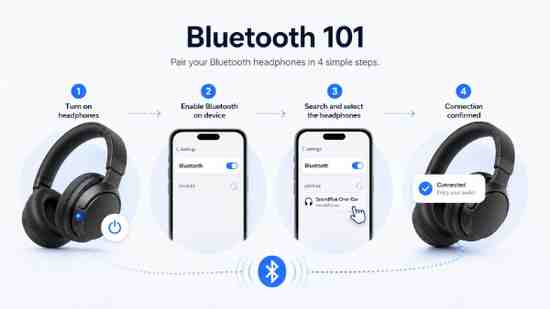
Otherwise, if you regularly face connection/pairing issues after cleaning/resetting your devices, then this article will help you: How to Pair Bluetooth Headphones With Ease.
Here is what you need to clean earbuds
There’s no need for an expensive cleaning kit. The truth is you need several simple household supplies to clean most earbuds.
You’ll need:
- Microfiber cloth
- Dry cotton swabs
- Soft-bristled toothbrush
- Mild dish soap
- Small bowl of warm water
- Optional: Toothpick or a plastic cleaning pick
- Sticky tack or cleaning putty, optional
- Isopropyl alcohol wipe ( 70% ) only for optional outer surface
- Dry paper towel
Use gentle tools. Earbuds (the shells are small, and the speaker mesh is fragile). A hard scrape could shove dirt deeper or ruin the sound filter.
Mistakes That You Must Avoid While Cleaning
Mistakes to Avoid Before Trying the Test
- Never submerge the earbuds in water.
- Never immerse earphone in any liquid!
- But never directly spray onto the earbuds.
- Don’t insert needles, pins or metal tools in the mesh.
- Avoid re-attaching wet ear tips back onto the earbuds.
- Do not put wet / damp ear buds into charging case.
- Foam tips do not use harsh chemicals.
Apple further advises against allowing liquid to touch charging ports, and leaving AirPods fully dry before placing them back in the case. Official guidance can be found in Apple Support’s AirPods cleaning guide.
Earbuds Cleaning Method
If you wish to clean your earbuds, carefully do the following:
1. Deactivate and Disconnect your earbuds
If the model allows, turn off your earbuds. Then of disconnecting them from your phone, laptop, tablet or gaming device.
For wireless earbuds, take them out of the charging case and ensure they are not currently playing sound. For wired ear buds, disconnect audio from your device.
This prevents any accidental pressing of the controls and keeps the earbuds more protected when cleaning.
2. Remove the Ear Tips
Take off the silicone ear tips or foam from in-ear earbuds with care. Do not pull too hard.
Squeeze them according to size and angle of the force, careful not to injure yourself. Set the tips aside because they will require separate cleaning.
This is crucial as earwax is collected mostly around the ear tips and at the speaker opening located underneath.
3. Brush the Speaker Mesh Gently
Grab the earbud with the speaker mesh pointed down. In this manner, loose dirt and wax fall out rather than penetrating further.
Alternatively, use a dry soft-bristled toothbrush or a small electronics brush. Take the mesh and using your brush, lightly sweep in a single direction.
Do not press hard. The idea is to break loose surface debris and NOT literally drive a screw or bolts through the mesh.
Single dot of sticky tack cleaning putty if wax got stuck. Apply slight pressure on it against the mesh, lifting it away. Do not shove it into the response.
4. Wipe the Earbud Body
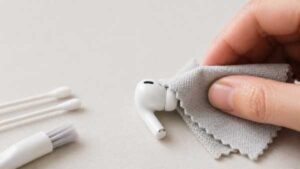
Wipe each earbud’s outer shell with a dry microfiber cloth.
When there are stuck dirt on the plastic body, you can wet the cloth with water or just use a small alcohol wipe only on the outer side. Avoid exposure to moisture on speaker mesh, socket holes, sensors and charging points.
Do not spray liquid straight up onto the earbuds.
5. Clean the Microphone Holes Carefully
Many wireless earbuds have small microphone holes, but those are generally used for calls and to cancel noise. The holes can gather dust and lint on.
You can rub with a dry cotton swab or soft brush against them. This is also especially required not to put anything inside the microphone hole.
Cleaning these tiny ports might come in handy if your call quality sounds a bit muffled.
6. Wash Silicone Ear Tips
The silicone tips are often the simplest thing to clean.
Mix a drop of gentle dish soap with warm water. Submerge only the silicone tips in water then rub them with your fingers. Wash them thoroughly, dry them entirely with a cloth.
Dry them out before reinserting them in the earbuds.
Do not put damp silicon tips back on the earbuds. Moisture can travel towards the speaker mesh.
Bose also advises cleaning removable ear tips using mild detergent and water, drying thoroughly, and re-attaching. You can read more in Bose’s earbud cleaning guide.
7. Clean Foam Ear Tips Differently
More care with foam ear tips than silicone ones
Do not soak foam tips with water. Foam can absorb moisture, change shape, and degrade quicker.
As such, they should be wiped with a cloth barely moist. Then let them dry fully. If they remain filthy, smell like crap, tear or don’t change as appropriately, replace them.
Foam tips, as mentioned, are not long-term retainers.
8. Clean the Charging Contacts
Wireless earbuds charge via small metal contact points. These contacts gather sweat, dust, or grit that may prevent your earbuds from charging.
Wipe the force contacts on the earbuds with cotton swab (dry if possible). Next, clean the counterpart pins inside the charging case.
Never use wet swabs inside the charging case. Charging pins can be flooded by moisture.
9. Clean the Charging Case
The charging case can become just as dirty as the earbuds themselves. You can clean the earbuds, but if you take good quality ear buds and put them in a dirty ear-gel case, they just come back filthy again.
Wipe the exterior of case with dry microfiber cloth. For inside, us a dry cotton swab to remove dust from earbud slots.
Outer case = may require a lightly damp cloth if stained. Please keep liquid away from the charging port and internal pins.
Allow the case to dry completely before putting the earbuds back into it.
How to Remove Earwax from Earbud Mesh
Earwax stuck to the speaker mesh often make earbuds sound muffled.
Here is the safest method:
- Remove the ear tip.
- When you’re doing that, hold the earbud upside-down with the mesh facing down.
- Use a dry soft-bristled brush.
- Brush gently across the mesh.
- If any wax remains, gently use some sticky tack.
- Use a microfiber cloth to wipe around the outer area
- Wait a few minutes before testing sound with the earbud.
Steer clear of toothpicks, needles and metal instruments. They can rip the mesh or force wax further down.
Both sound level meshes under bright light, as well as if one earbud is quieter than the other Usually it tends to be the quieter side that builds up more than the other.
How to Clean Wireless Earbuds
Because they have batteries, sensors, and microphones, and charging contacts as well inside them, wireless earbuds require more care.
To clean wireless earbuds:
- Do not get liquid near charging pins
- Wipe the device and ear buds down.
- Dry everything before charging.
- Do not hit water near the mesh, sensors and ports.
- For the outside surface use a microfiber cloth.
- Speaker mesh use a dry brush.
If you are planning to upgrade your audio gear later, you may also want to check Best Headphones Under $100 in 2026
How to Clean Wired Earbuds
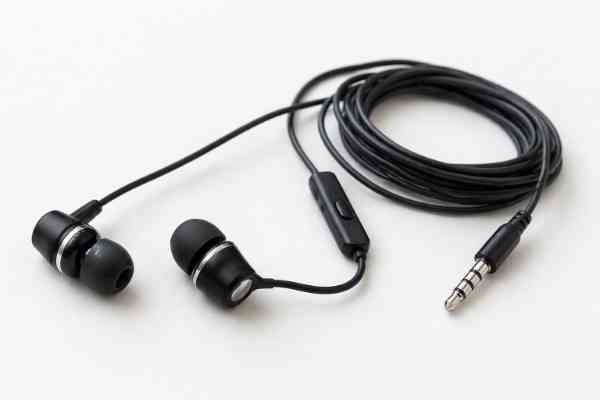
Wired earbuds, on the other hand tend to be easier to clean but you have to be extra cautious near speaker mesh.
Follow these steps:
- Unplug the earbuds.
- If the tips are silicone, remove them.
- Using a dry brush, lightly sweep the mesh.
- Clean the cable run a microfiber across [it].
- Wipe the plug with a dry cloth.
- Allow everything to dry back before using again.
When cleaning the cable, please do not pull it too hard. The other commonest point is the wire near to the body of the earbud.
How Often Should You Clean Earbuds?
How often you clean earbuds depends on how often you use them.
| Usage Type | Quick Wipe | Deep Clean |
|---|---|---|
| Daily listening | 2–3 times per week | Once a month |
| Gym or running | After every workout | Every 2–3 weeks |
| Occasional use | Once a week | Every 1–2 months |
| Shared earbuds | Before and after use | Avoid sharing if possible |
If you workout with earbuds, then make sure to clean them more regularly. It accumulates sweat and humidity terribly fast. It’s less than a minute to wipe when you are done and it prevents heavy build up later.
Is it Safe to Clean Earbuds with Alcohol?
There are places where you may use alcohol, just not everywhere.
Use a 70% isopropyl alcohol wipe on certain exterior plastic surfaces, avoiding speaker mesh, microphone holes, charging ports, foam tips and any fabric component.
Never soak a rag in alcohol and have it dripping wet. Your cloth should be damp, but not soaked.
If they have a particular coating or soft touch finish, refer to the manufacturer’s cleaning instructions first.
Can You Clean Earbuds with Water?
For detachable silicone tips, you can only use water. Keep it away from washing the actual earbuds under running water.
Your earbuds might have a certified water-resistance rating, but that doesn’t mean they’re safe to wash under the tap. Most of them is usually easy to get water resistant or protected from sweat or even light splashes, not that you wash your watch because it is close.
If you can take apart, clean and let it dry in separate parts then use water.
Earbuds Sound Muffled When Cleaned Why?
If your earbuds sound muffled after cleaning, one of these problems may be the cause:
- Wax was pushed deeper into the mesh.
- The mesh is still damp.
- Ear tips were not reattached properly.
- Charging contacts are dirty.
- The microphone or speaker opening is blocked.
- The earbud was damaged during cleaning.
Let the earbuds dry completely first. Then brush the mesh again gently with a dry brush. If the sound is still muffled, check whether only one side is affected.
If one side remains quiet after careful cleaning, the issue may be internal.
Common Earbud Cleaning Mistakes
Common Mistakes That Ruin Earbuds The Most:
Using too much liquid
Moisture can get through the speaker mesh, microphone holes or charging contacts.
Scraping with sharp tools
Mesh can be damaged with needles, pins and mechanical picks.
Forgetting the charging case
Dirty case transmits dirt to clean earbuds.
Cleaning only when sound gets bad
In fact, at that point in time wax could already have filled the mesh.
Reattaching wet ear tips
The wet tips can transfer moisture into the earphones.
Clean lightly and often, rather than wait for the buildup.
FAQ: How to Clean Earbuds
How to clean earbuds at home?
Take off the ear tips, delicately clean the speaker mesh with a dry gentle bristle brush, wipe down the body with a microfiber cloth (with water, if necessary), wash silicone tips separately in mild soapy water and then fully dry, and disinfect charging case using a dry cotton swab.
How do you clean earwax out of earbuds?
With the mesh of the earbud facing down, start brushing around with a dry soft-bristle brush. Use sticky tack lightly on stubborn wax Never insert toothpicks, needle or metal tools into the mesh.
Can I use a toothpick to clean earbuds?
You shouldn’t use toothpicks close to the speaker mesh. A toothpick can drive wax more deeply, or rip the mesh itself. If you need to use a cleaning product, please only wipe down the outer plastic edges and never inside any openings on your device
Can I clean earbuds with hydrogen peroxide?
his isn’t suitable for most earbuds. Hydrogen peroxide can be too aggressive and damage sensitive parts or coatings. Alternative: Use a dry brush and microfiber cloth instead.
Final Thoughts
Cleaning your earbuds is easy, but the details are important. Keep dry tools near the speaker mesh, keep liquids from entering sensitive openings, wash only removable silicone tips and allow everything to dry completely before charging or listening again.
Taking a few minutes to routinely clean your earbuds will improve sound quality, make them more comfortable and help them last longer.