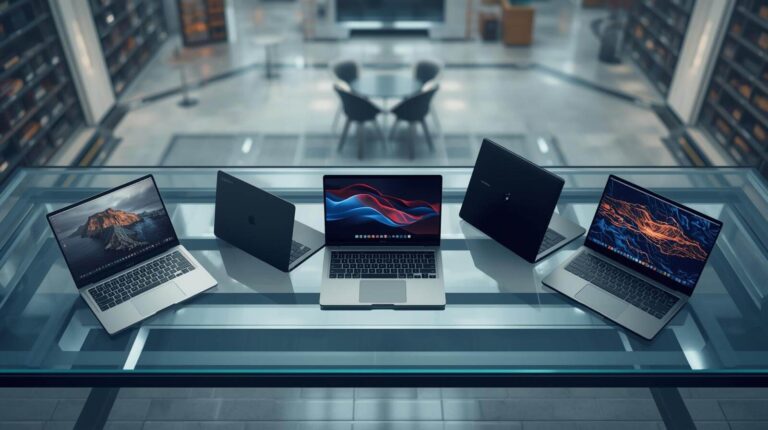
It’s 2026. And these are, let’s say, 10 things you should know before you go out and buy a shiny new laptop this year. We’ll talk about the new chips, the higher RAM prices, different designs, Mac versus Windows, a little bit of gaming.
2026 What’s New?
number one. Let’s start with the big trends of 2026. What is going to be new? Well, we’ve got all new chips from Intel and AMD alongside new Snapdragon chips with their X2 series. And of course, we’re expecting new Apple MacBooks with their M5 chip in the MacBook Air and also the higherend M5 Pro and Max chips in the MacBook Pros. We’re seeing some really cool new designs, more OLED displays, including even better tandem OLEDs, and I’ll talk more about that later on. And obviously AI is everywhere. The marketing department at every laptop brand are keen to stress how important it is. We’ll talk about that as well. But what we haven’t seen are big improvements to dedicated graphics cards from Nvidia and AMD. There may be some minor spec bumps to like the VRAM of some existing models, but there’s no like super series refresh of Nvidia’s cards or 6000 series. Integrated graphics though that are on board the chips on the Intel and AMD and Qualcomm chips are looking like they’re going to be significantly better this [music] year. But dedicated graphics cards, nothing too crazy for this year. What is going to be kind of crazy though, in fact, it’s already crazy are prices. Laptop prices across the board this year are higher than last year, maybe quite significantly because memory RAM is a lot more expensive. Like if you go on Amazon and look at a 32 GB uh stick of RAM, that’ll be like two or three times more expensive than it was just a few months ago. That’s because AI companies are just buying up all the memory, all the chips. So demand is outweighing supply. And I can tell you, having worked with some laptop companies over the Christmas period ahead of CES, the pricing I was given, let’s say in December, was not the pricing that eventually came out in January. everything was bumped up. Obviously, pricing will come down to each individual company, and we don’t expect to see Apple MacBooks cost significantly more, but we may see other companies increase their prices more. What it does mean, though, maybe more than ever, is that it’s perhaps worth looking at 2025 laptops rather than buying a brand spanking 2026 model because you might be to get a better deal. So, that’s number one. New chips, new designs, better connectivity, probably high prices. Which leads me neatly into number two.
Budget vs Premium
Let’s talk about budget. How much should you be spending on a new laptop? Because bear in mind, an entry-level cheap and cheerful Windows laptop or even Chromebook is all most of us really need for a basic home or office laptop. Most of us do not need an RTX 5090 or a MacBook Pro 16 with an M4 Max. Quite honestly, most of us should not be paying more than $500 pounds for a new laptop unless you have a specific need for like a really high-end screen or particularly high performance for video editing or gaming or, you know, workstation tasks. Now, cheaper laptops are more plasticky in their design. And premium thin and light laptops, these get better build quality, better performance, better displays with higher brightnesses and high refresh rates, and things like the haptic trackpads and more responsive keyboards and faster connectivity like Wi-Fi 7 and maybe Thunderbolt 5. The statistics say that most of us are going to go out and buy a MacBook Air. That’s like the bestselling single laptop. And quite honestly, it probably is the best all round laptop for most people if you want Mac OS rather than Windows. But more than anything, I just don’t want you to overspend. And that will be even harder this year with the higher prices. The flip side is the more you pay the more higher end the laptop then it will probably last you longer as well. It’ll be more futurep proof. So in that way you are getting a bit of value as well. What’s your max budget? What are you going to use it for? Then you can start getting into like the weeds of the specs and the particular model you might want to buy.
Size & Design
Number three let’s talk about different sizes and also different form factors. For me the sweet spot laptop size is 14in. Even though personally I use a MacBook Pro 16 because I actually do want the bigger screen size for my video editing. Bigger usually means more expensive, heavier, but also usually better performance because there’s more room for better cooling, higherend graphics cards. Or the MacBooks kind of go against that rule because the MacBook Pro 14 and 16 have near enough the same performance. I would say laptops come under four different categories. You’ve got slim and light. You’ve got sort of more everyday mediumsiz laptops. And then you’ve got gaming/workstation laptops, bigger, heavier with high performance. And also you’ve got other form factors like dual screens like tablets to two in one convertibles. Most people go towards the slim and light. They want something that’s powerful enough for everyday use, but also they can carry around, take to the office. It looks nice, but they pay a little bit more for that sort of premium portable design. So 13-in is probably the smallest you’ll find. 14, 14 is the most common. Then you’ve got sort of bigger 16-in models, but actually quite rarely now you’ll see a 17 inch or 18 in. Only a handful of gaming laptops or workstation laptops offer those giant screen sizes because at the end of the day, if you do need a big screen, then you might just plug it into a monitor anyway at home or at the office. Or maybe you’ll buy one of these if it actually ever comes out. this Lenovo rollable concept, which is pretty cool. It goes from like a 16-in to a 24 in. Maybe a little bit gimmicky, but I wouldn’t say no to having an ultrawide display packed into a regular 16-inch laptop. But you’ve also got the likes of the Asus Zenbook Duo or their Zephorus Duo laptops, which is like the gaming version of it with their dual 14 and dual 16-in displays. Genuinely really cool laptops. I think this year with bigger batteries and the new chips and slightly improved designs, they’re more tempting than ever. Trouble is, they’re also very expensive. I think the Zenbook Duo is over two grand. let’s talk about Mac versus PC. Or really, what you should say is Mac
Mac vs Windows
versus Windows cuz they’re all PCs. You do also have Linux and Chrome OS if you’re buying a Chromebook. And the chances are you already know the answer to this question because you’ve been using a Windows laptop or a MacBook for the past few years. So, this could be an easy choice, but it is worth thinking about all the same. Windows laptops have by far the most models to choose from, each with their own unique designs and specs. And there’s loads of workstation and gaming laptops with proper discrete graphics cards and high refresh rate OLED displays. Windows is absolutely best bet for gaming and also for a lot of professional use cases with a much wider app selection. Bear in mind though if you go for a Windows laptop powered by ARM and right now that really just means it has a Snapdragon chip under the hood like the X Plus X Elite or their new X2 Elite chips they’ve just announced for 2026. Because of the architecture of the chip, it actually introduces some compatibility issues with some apps. It has got much better over time and there are some big benefits to a ARM powered like Snapdragon powered laptop like much longer battery life, the same performance whether you’ve got it plugged in or not. Snapdragon powered Windows laptops are definitely worth considering but they’re not for everyone because they do introduce some issues with certain apps and games. And of course, you’ve also got Chromebooks which run Google’s own Chrome OS software which is kind of like a stripped back operating system designed to use Google’s cloud-based suite of apps like you know Google Docs, Sheets. And excitingly, it seems this year that Google will be combining Chrome OS and Android in the one form of aluminum OS or aluminum OS maybe, which may launch alongside Android 17 later in 2026. It’s still a very small market, mostly in education or if you just want a really cheap, more affordable laptop. But this should make Chrome OS laptops a little bit more interesting as well. So, you’ve got Windows with regular Intel and AMD chips, but also the Snapdragon ARM powered versions of Windows. You’ve got Chromebooks with Chrome OS soon hopefully to be combined with Android. And then you’ve got MacBooks running Apple’s own Mac OS software. And because they make the chips, the M series of chips, they make the laptops, they make the software with Mac OS, they have this beautiful vertical integration. Basically, Apple is unbeatable now for like price to performance. The M4 and the M5 series chips are faster and really efficient. So, you’re getting great battery life, really good performance whether you’re plugged in or not. And while Intel and AMD and Snapdragon have some impressive new chips coming this year, we are also expecting the M5 chip, which debuted in the entry-level MacBook Pro last year, to come to the MacBook Air and also the higherend Pros. And so, when an M5 MacBook Air comes out probably springtime, not exactly sure. Windows laptops really are having to play catchup. But moving on, let’s talk about this thing, the screen.
Best Screen?
This is what you’re going to be looking at the entire time you’re using your laptop. And the problem is this is really hard to judge by specs alone. Now, this is where reading reviews or watching reviews is really worth it. I’m telling you right now, if you go into a Best Buy or in the UK a Curry’s shop and you go for like the cheapest laptop that’s like $399, $499, yes, it may check the boxes and it may say, “Oh, it’s got AI and it’s got this and that. It’s a full HD screen.” I’m telling you, the screen and also to some extent, the keyboard and the trackpad are the main tangible compromises when you go for a cheaper laptop. In my experience, it’s definitely worth paying a little bit more to get a better screen. Most cheaper laptops will have a full HD, so that’s 1080p 60 Hz display with a brightness of probably 4 to 500 nits. But once you jump up to quad HD or 4K screens with 120 Hz refresh rates with brightnesses up to and over a,000 nits and OLED displays with those inky blacks and really vibrant color, it makes everything you do on your laptop just looks so much better. There is always a butt, though. When it comes to the resolution, like 1080p, quad HD, 4K, you don’t always have to have the higher one. And actually a high resolution generally will cost you more. It’ll reduce your battery life. It’ll reduce your performance in games. The sweet spot right now is quad HD or QHD plus. That’s like a nice halfway house between full HD 1080p [music] and 4K or UHD. Balancing price, performance, battery life, and it’s still sharp enough. Every laptop will be different. As I say, this is where it’s worth reading reviews. But one big advantage for why I like to go for a MacBook Pro over a MacBook Air is the fact you’re getting a much better screen. It’s brighter. It’s miniLEDD, so you have better contrast. It has their 120 Hz prootion, so everything feels quicker and smoother, better color accuracy, better viewing angles, and the MacBook Pro also has a nano texture option. What I would say though is a big selling point of a lot of Windows laptops, more recent ones especially, is that for similar money to a MacBook Air, you’re likely to get a much better screen. A MacBook Air is a 500nit IPS 60 Hz display. Go to Asus or Lenovo or whoever you fancy, and you’ll probably get a OLED display that’s brighter and has that smoother 120 Hz. If Apple with a new MacBook Air is coming this year, not only adds the M5 chip, which of course they will, but also bumps that refresh rate, which isn’t the end of the world for everyone, but if they bump that to 120 Hz and give us a nicer display, that could make it a good deal harder to recommend a Windows laptop. Gaming laptops are a whole different kettle of fish. And while of course, you can play games on any display. If you want the best experience, you’re going to want even higher refresh rates like 240 or 360 Hz, lower response times, things like G-Sync and FreeSync, this will be something I cover more in my dedicated gaming laptop buying guide.
The Specs (CPU, GPU, RAM)
All right, so change of location, change of clothes. I’m actually recording this video over a few days because there’s a lot to talk about with a laptop buying guide, but number six, and this may be the most technical bit of the video, but it’s all about knowing your specs. The processor, the memory, the storage, the graphics card. These are the things that make a laptop a laptop and also the reason why some laptops cost 500 quid and others cost 5 grand. If you’re on a really tight budget, let’s say $3 400 or pounds thereabouts, then I think a really good option is a Chromebook, particularly if you’re a student, but of course you are relying more on the cloud and Google services for a regular Windows laptop. Honestly, any laptop from the last few years would be quite good. And if you can get a good deal on a previous year model, that’s even better. But most of us are probably going to buy a Windows laptop. So, you want to look for at least 8 GB of RAM. That’s the same as memory. 256 gigs of storage. 512 would be nice, but 256 is a base level. You can always plug in external storage drives. You’re probably going to get a 1080p 60 Hz screen with that and an i5 or a Ryzen 5 from Intel or AMD from the past couple of years. And that will do you. That’ll do most of us to be honest. For the mid-range, let’s say 800 to a,000ish thereabouts, pounds or dollars. Well, I mean, the most popular choice in the world is that MacBook Air. And right now, as I’m recording this, it has the M4 chip. That’s Apple’s own silicon. But we are expecting an M5 refresh in the first half of 2026. So, it could be worth waiting for that. So M4 or M5 MacBook Air for around $999 thereabouts. And thankfully Apple did actually bump up the memory, the RAM from 8 to 16 GB last year, I think it was. So that’s one less thing you have to pay to upgrade yourself because of course with Macs, you can’t upgrade. That’s one of the benefits of a lot of Windows laptops is that you can sometimes upgrade the storage and the memory down the road. But for Windows laptops, I would look for at least 16 gigs of RAM. I would look for 512 gigs of storage, ideally a terabyte if you can. you’re more likely to get a 1080p 120 Hz screen or perhaps even a quad HD 60 or 120 Hz screen. And in some cases around that price, you might start seeing OLED displays. OLED generally speaking is a good thing to have in laptops. And then you’re looking at Intel Core i5 and i7 processors, Ryzen AI5 and Ryzen AI7 processors. And the internal graphics of these newer, higherend processors are actually pretty good. They compete with some low-end dedicated graphics cards. So you can get away with some light gaming, a little bit of video and photo editing, but again, if you can find a laptop from last year with an Intel Core Ultra 200 series or a Ryzen AI 300 series, they are incredibly capable. Then you’ve got the sort of higherend premium laptops, anything from a,000 to 2,000. And that’s why most of these new premium slim and light laptops kind of live at that sort of 12-,600 range, which is a lot of money for a laptop. But you are usually getting better screens, the highest end, newest chips. You’re also guaranteeing yourself 32 GB of memory RAM, probably a terabyte of storage, much higher quality quad HD 120 Hz screens, definitely OLED as well, higher brightnesses. Some will be touchscreen. You’ll have more convertible two in one options, better connectivity with faster ports, the latest Wi-Fi, and also more premium designs. We’re talking Lenovo Yoga laptops. We’re talking Asus Zenbooks, a higher spec MacBook Air, or even a base MacBook Pro. And that price point also opens up some decent enough sort of lower mid-range gaming laptops. Beyond that though, I mean you can spend over seven grand on a topsp spec MacBook Pro 16 with like 8 terb of storage, I think 28 gigs of memory. You can get gaming laptops with RTX5090s like the highest end graphics card and that will cost you 4 1/2 grand. It is nuts. And unless you have money to burn, look at last year’s models. Get a lower storage model and use a external SSD. And ultimately ask yourself, do I need to spend that much money to get a laptop that will do what I want to do?
Graphics Cards
Let’s talk about graphics cards because while every processor I may have mentioned this earlier, every chip you buy from Intel, Snapdragon, AMD, Apple, they all have integrated graphics, iGPUs, significantly more powerful than they used to be over the last couple of years will not compete with a dedicated graphics card. Nvidia is the biggest player here by far. You can find some AMD graphics cards, but it’s not that common, especially on laptops. So, for Nvidia graphics cards, the entry-level latest model is the RTX 5050. You get some of the AI upscaling benefits like DLSS and frame generation. Again, that’s for a different video, but the raw performance isn’t that much better than the integrated graphics you’ll get on a new chip. So, RTX 5050, 5060, 5070, I think there’s a TI as well, uh 5080, 5090. Progressively, a lot more expensive, more powerful, and also more power hungry. But crucially, and this is actually really important, don’t just look at the name of the graphics card. One laptop with a 5070 and another with a 5070 can have wildly different performance. And that comes down to two main things. The first one being the TGP of the chip. The total graphics power. So how much wattage, how much power is that graphics card using. The higher the TGP, the more power is using, the better the performance. Makes sense. So type of card, 50, 60, 70, 80, 90, etc. The TGP, is it 110 watts? Is it 135 watts? Is it 175 watts? That makes a big difference. And then the chassis, the laptop itself, and the cooling. A lot of these high-end gaming laptops that are also impossibly thin and light, you’ll not only be getting a lower TGP, but because of the thermal dissipation, the size of the fans they can squeeze into that chassis, the cooling won’t be as good, so it’s going to throttle more quickly. So, particularly for gamers, 1080p is still a really good option because it’s less demanding, so you can get higher frame rates or maybe quad HD is a nice middle ground between full HD, between 4K in terms of detail and performance. But this is where the refresh rate really makes a difference. You want at least 120 Hz, ideally 165, maybe even 240 Hz displays, a quad HD 240 Hz, chef’s guess, that is what you want. So, for a budget gaming laptop, I would look at last year’s RTX 4060 card. That’s a great starting point. 16 gigs of RAM, 512 or a terabyte storage, and a 1080p at least 120 Hz display in a sort of 14 or 15inch screen size. That would be perfect. Above that, I would look at a 5070 32 gigs of RAM, terabyte storage, and maybe a quad HD 240 Hz screen. And then beyond that, well, go crazy. I would probably avoid the 5090. The performance uptake from the 5080 is not that significant, but the price and the cost absolutely is with a quad HD 240 or 360 Hz maybe OLED display, but I would struggle to recommend a new 2026 one because there aren’t really any new graphics cards this year. There may be some tweaks all day long. Look at last year’s gaming laptops.
Ports & I/O
Let’s talk about connectivity ports. This is a USB C port and this is a USBA port. And between them, you can plug in pretty much anything you want, either directly or via an adapter. Ideally, you’ll want at least one of each. And while USBC is typically faster because it’s newer, although there are lots of different specs, and that is a rabbit hole in itself, it also comes with some clever extras on more premium models like built-in display port support for outputting to a higher quality external monitor and also power delivery for charging stuff quickly like your phone. Bottom line, the best version of that USBC port is one that supports USB 4. That is a fast standard of a USBC port that will do everything you need for the foreseeable future. But also, if you see Thunderbolt 4 or Thunderbolt 5 support on some of the latest higherend laptops, those have the absolute fastest transfer speeds and can hook up multiple 8K or 4K monitors at up to like 240 Hz. Beyond that, you’ve got HDMI. You probably recognize this, which is a more traditional port for outputting to monitors and TVs. And also, you might see some version of this, either a micro SD card reader or a full-size SD card reader in laptops that are aimed at more creative users. Then an RJ45 LAN port, one of these guys, is the best way to minimize latency and get the best transfer speeds by wired internet rather than relying on Wi-Fi. And speaking of which, Wi-Fi 7 is the latest standard, and you don’t really need it. Unless you have a Wi-Fi 7 router or router, for my American friends, you’re not going to be taking advantage of it. Any laptop with at least Wi-Fi 6 will be absolutely fine. Number nine, and just a quick mention about battery life. We talked about this earlier with the specs, but there’s a couple of things to look out for.
Battery Life
The battery size, which is almost always measured in what hours. So, the bigger the battery, the longer the battery life, but also it comes down to the resolution of the display you’re using, and also the chip. How powerful is it? And also, how new is it? The newer the chip, the more efficient, the longer the battery life. If you go into Best Buy, go into Curries and buy the cheapest laptop, you might get like four or five hours. But if you spend a thousandish thereabouts and get a good mid-range laptop, then you’re probably going to get 12 to 15 hours depending on the specs on the model and also how you use it. If you’re playing games, if you’re editing videos, that’s going to drain the battery a lot faster. But also bear in mind that except for MacBooks and also to quite a big extent Snapdragon powered Windows laptops, you where you’re getting pretty much the same performance whether you’re plugged into the wall or running on the battery. Intel AMD powered Windows laptops, you’re going to get a significant reduction in performance. Often 25 50% depending on what you’re doing and especially if you’ve got a dedicated graphics card in there like a 5070 or something, you’re going to want to use that plugged in to get the most out of it. But that really is a selling point of these Snapdragon Windows laptops and particularly MacBooks. The fact that I can get the same performance with this whether I’m plugged in or not is really useful, particularly if you travel a lot.
Prices
Number 10, pricing. This year 2026 is going to be more expensive. There is really not a lot this year in terms of improvements. I mean, you know, slightly better chips, slightly better battery life, slightly better designs. It’s all incremental. For the majority of us, get a new old one, if that makes sense. And also maybe wait till the end of the year. You’ll have refreshed MacBook Airs and higherend MacBook Pros. The 2026 models that come out, you know, in the first half of the year will be discounted a little bit. Uh you’ll have Black Friday deals. It’s worth shopping around a little bit. Although I’m sure you were going to do that anyway. And just a quick bonus point, and I mean quick because you are going to roll your eyes.
BONUS ROUND
AI Every company, every laptop company has overdone the marketing for AI. It really doesn’t matter that much. The crux of it is if a laptop has a MPU, a neural processing unit, you like CPU, the GPU, then the MPU of over 40 tops, that’s trillion operations per second. And just a really simplistic way of uh quantifying how fast the NPU is on the chip, whether it’s from Intel or AMD or Qualcomm. Pretty much every mid to high-end laptop from 2025 and obviously coming 2026 will have between sort of 40 and 80 tops, which means they support the Windows C-Pilot Plus features, things like recall and live captions, and you’ll have more studio effects with your webcam, things like image generation, a handful of features within some creative apps like Da Vinci and Premier Pro uh that can utilize a onboard MPU. And the faster the MPU, the faster it will do the things with the idea being your laptop doesn’t have to use the more power hungry processor or the graphics. It offloads it to the MPU, which can be a lot faster and more efficient at specific AI tasks, but it’s not going to change your life. At least not yet. It may become more useful in the future. Criy, that’s a lot. If you stuck to the end, first of all, thank you because that was a lot to take in.