A Practical Guide That Actually Makes Sense
A few years ago, I assumed smart homes were only for people with massive houses, expensive gadgets, and way too many voice assistants listening to their conversations. Thankfully, that idea didn’t last long.
After testing affordable devices and slowly upgrading my space, I realized a good smart home setup doesn’t need a huge budget. It just needs a simple plan and the right devices.
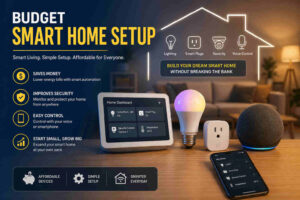
In this guide, I’ll explain:
- How I started my smart home without overspending
- The devices I think are worth buying first
- Common mistakes I learned to avoid
- Ways to automate your home cheaply
- Affordable smart security ideas
- How to expand your setup later without replacing everything
If you’ve been curious about smart living but don’t want your bank account filing a complaint, this guide should help.
What Is a Budget Smart Home Setup?
A budget smart home setup is simply a group of affordable connected devices that help automate daily tasks around your home.
That can include:
- Smart bulbs
- Smart plugs
- Wi-Fi cameras
- Motion sensors
- Smart speakers
- Voice assistants
Most of these devices connect through Wi-Fi and can be controlled from a phone app or with voice commands.
What surprised me most was how quickly small upgrades started making everyday routines easier. Something as basic as automating lights at night feels surprisingly useful after a few days.
You don’t need a fully automated house from day one. I actually recommend starting small because it helps you understand what features you’ll genuinely use.
Why I Think a Budget Smart Home Setup Is Worth It
I originally started with one smart plug and a smart bulb. That was it.
Now? I probably talk to my lights more than some relatives.
Jokes aside, affordable home automation offers practical benefits that genuinely improve daily life.
Lower Energy Usage
Smart lighting and smart plugs help reduce wasted electricity. I use schedules to automatically turn off devices late at night, which saves power without requiring any effort from me.
Even basic automation can make a noticeable difference over time.
Better Convenience
Voice control sounded unnecessary to me at first. Then I started turning lights off from bed without getting up.
That changed my opinion immediately.
Devices connected through platforms like Google Home or Amazon Alexa make routine tasks easier without adding complexity.
Improved Home Security
Budget-friendly security devices have improved a lot recently.
A simple indoor camera or motion sensor can help monitor packages, pets, or unusual movement while you’re away from home.
For readers interested in home protection, I’d also recommend linking internally to a related article about smart home security systems or beginner home automation tips.
Easy to Expand Later
One thing I appreciate about smart home automation is flexibility.
You can begin with:
- one room
- one device
- one routine
Then slowly build from there without replacing everything later.
That approach keeps spending under control.
How I Planned My Smart Home Without Wasting Money
Before buying anything, I made a simple rule:
If a device doesn’t solve a real daily problem, I don’t buy it.
That mindset prevented a lot of unnecessary spending.
Start With a Clear Budget
It sounds obvious, but many people buy random gadgets first and create the plan afterward.
I recommend deciding:
- how much you want to spend
- what problems you want to solve
- which rooms matter most
For most beginners, starting under $100 is completely realistic.
Focus on High-Use Areas First
I started with:
- bedroom lighting
- living room automation
- basic security monitoring
Those areas provided the biggest daily impact.
Kitchen automation can wait unless you really enjoy telling your coffee maker what to do at 6 a.m.
Check Device Compatibility
This step matters more than people realize.
Always confirm whether your devices support:
- Alexa
- Google Assistant
- Apple HomeKit
- Matter compatibility
Mixing incompatible devices creates frustration quickly.
The Connectivity Standards Alliance Matter standard is making smart homes easier because it improves cross-platform compatibility between devices.
For additional technical guidance, readers can also explore
Best Devices I Recommend for a Budget Smart Home Setup
You do not need expensive equipment to build a useful system.
These are the devices I think provide the best value for beginners.
Smart Plugs
Smart plugs are easily one of the cheapest and most useful smart home devices available.
I use them for:
- lamps
- fans
- chargers
- coffee machines
They allow:
- remote control
- schedules
- automation routines
- energy tracking
The setup usually takes only a few minutes.
Smart LED Bulbs
Smart bulbs are perfect for beginners because they instantly make your home feel more modern.
I personally like using:
- dimming schedules
- bedtime automation
- warm evening lighting
They’re also great for energy efficiency.
Some affordable brands worth considering include:
- TP-Link Kasa
- Govee
- Wyze
Smart Speakers
A smart speaker becomes the control center for many devices.
Whether you choose:
- Alexa
- Google Assistant
- Siri
…the experience becomes much smoother once voice commands are connected to routines.
I didn’t think I’d use voice commands much. Now I catch myself saying “turn off the lights” before touching the switch.
Convenience wins quickly.
Budget Smart Cameras
You don’t need a premium surveillance system to improve security.
Basic Wi-Fi cameras now offer:
- motion alerts
- cloud storage
- live monitoring
- night vision
For apartments or small homes, one indoor camera is often enough to start.
Motion Sensors
Motion sensors create simple automation that feels surprisingly useful.
For example:
- hallway lights turning on automatically
- bathroom lights activating at night
- motion alerts while traveling
Small upgrades like this make a home feel genuinely smarter instead of simply “connected.”
Affordable Ways I Automate My Home
A lot of smart home marketing focuses on expensive setups, but simple automation usually delivers the biggest value.
Here are the automations I use most often.
Scheduled Lighting
My lights automatically dim at night and turn off at bedtime.
That small routine improves comfort and saves electricity without requiring daily effort.
Smart Plug Automation
I schedule fans and chargers to shut off automatically overnight.
It’s simple, but it reduces wasted energy and keeps devices from running unnecessarily.
Voice Assistant Routines
I use routines like:
- “Good morning”
- “Movie mode”
- “Leaving home”
One command can trigger:
- lights
- plugs
- speakers
- reminders
It feels useful without becoming overly complicated.
Motion-Based Lighting
Motion sensors in hallways are surprisingly practical at night.
Especially when you don’t want bright overhead lighting turning your kitchen into a stadium at 2 a.m.
Common Mistakes I Recommend Avoiding
I made several mistakes early on that wasted time and money.
Here’s what I’d avoid if I started again.
Buying Too Many Devices Immediately
Starting with ten devices at once usually creates confusion.
Begin with:
- one smart speaker
- two bulbs
- one plug
That’s enough to learn the system properly.
Ignoring Wi-Fi Quality
Weak internet connections cause most smart home problems.
Before upgrading devices, make sure your Wi-Fi coverage is reliable.
A strong router matters more than many people expect.
Choosing Extremely Cheap Unknown Brands
Some low-cost devices work well.
Others disappear from app stores six months later and stop receiving updates entirely.
I prefer buying affordable products from brands with long-term support and active apps.
Using Too Many Apps
One app for every device becomes annoying fast.
Whenever possible, I try to keep devices inside one ecosystem.
That simplifies automation and daily control.
How I’d Expand a Smart Home Later
Once your basics work well, upgrading becomes much easier.
Here’s the order I’d recommend.
Smart Thermostats
These improve:
- temperature control
- energy efficiency
- comfort
They cost more initially but can reduce energy waste over time.
Smart Door Locks
Useful for:
- remote access
- guest entry
- security monitoring
They also remove the classic “Did I lock the door?” moment after leaving home.
Additional Sensors
Door sensors, water leak sensors, and window sensors provide extra automation possibilities without huge costs.
Smart Hubs
As your system grows, a hub can improve:
- device communication
- automation speed
- reliability
This becomes more valuable once multiple rooms are connected.
Is a Budget Smart Home Setup Safe?
Yes, as long as basic security practices are followed.
I always recommend:
- strong Wi-Fi passwords
- two-factor authentication
- trusted brands
- regular software updates
Smart home security is mostly about good habits.
For cybersecurity recommendations, readers can also review guidance from Cybersecurity and Infrastructure Security Agency regarding connected devices and home network protection.
My Final Thoughts on Building a Smart Home Cheaply
Building a smarter home doesn’t require expensive equipment or complicated systems anymore.
Most people can start with:
- a smart bulb
- a smart plug
- a voice assistant
That alone creates meaningful convenience.
The biggest lesson I learned is that smart homes work best when they solve small everyday problems. Fancy automation looks impressive online, but practical routines are what people actually use long term.
Start simple.
Focus on devices you’ll genuinely benefit from.
Then expand gradually once you understand how your setup fits your daily life.
That approach keeps the experience affordable, useful, and much less frustrating.
FAQs
What is the cheapest way to start a smart home?
I usually recommend starting with:
- one smart plug
- one smart bulb
- a voice assistant
That combination is inexpensive and easy to set up.
Can I create a smart home without a hub?
Yes. Many Wi-Fi smart devices work directly through apps or voice assistants without requiring a separate hub.
Do smart devices increase electricity bills?
Most smart devices use very little electricity. In many cases, automation actually helps reduce energy usage.
Which smart home platform is best for beginners?
I think Google Home and Amazon Alexa are the easiest starting points for most people because they support a large number of affordable devices.
What should I buy first?
Smart plugs and smart bulbs are usually the best first purchases because they are affordable, easy to install, and immediately useful.