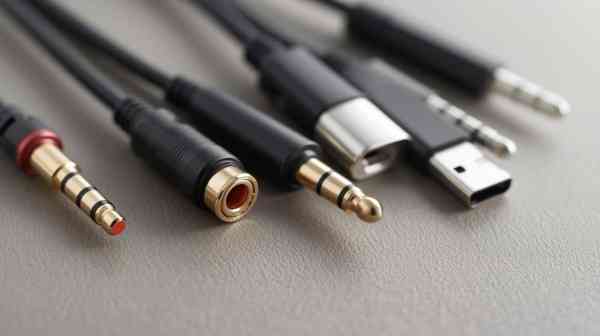
To the eye, a headphone jack is pretty much as simple as it gets but I have seen many users get confused. It can support an array of uses like music, calls, gaming audio, microphones, speakers, and adapters from a single tiny port. Not too shabby for a minuscule hole in a gadget, Huh?
Here’s what I’ll cover:
- What a headphone jack does
- Common jack sizes and types
- TRS, TRRS, and microphone support
- Headphone jack between Bluetooth and USB-C data
- Common problems and fixes
- How I pick the right adapter
- FAQs for quick answers
What Is a Headphone Jack?
Headphone jack is an audio port allowing the connection of a wired headphone, speaker, microphones or electroacoustic transducer (for both 3.5 mm and 1/4 inch). I often describe it like this: the jack is the socket, and the plug is the metal bit you stick it in with.
They dont use jack for either. I just cover a lot of psychedelic stuff cause jack would be most people’s choice for both. That is normal. Technically, however, the jack is on your phone, laptop, mini PC, monitor or speaker. The plug is in your headphone cable.
The job is simple. It transmits audio between a device and your headset. Additionally, in some instances is also fed microphone input. This is why music will work only in some headphones, and calls and voice recording will only work in certain ones.
Still Like the Headphone Jack
I like wireless audio. And it is tidy, contemporary and free of wires. I still miss the headphone jack, as it solves everyday problems.
A wired connection requires no battery recharging. It has very low delay. It is also easy to use. Plug it in, and sound pours forth. No pairing menu. No “Bluetooth device not found.” No recruiting tiny batteries to have a drama before a meeting.
Wired audio still makes sense for gamers, editors, office workers, students and music listeners. It is reliable. And reliability is not boring. It is peaceful.
If you like wireless, this is also a guide to good wireless headphones and I will give a comparison of sound quality, battery life, and day-to-day comfort.
Common Headphone Jack Sizes
There are many different audio jack sizes with three of those being the most common.
| Size | Common Use | Notes |
| 2.5mm | Older phones, small devices | Less common today |
| 3.5mm | Phones, laptops, PCs, headphones | Most popular size |
| 6.35mm | Studio gear, amps, instruments | Used in professional audio |
It is the known 3.5 mm jack, however. It’s found on a lot of laptops, desktops, monitors, speakers, gaming controllers and older smartphones.
The 6.35mm jack is larger. I mainly find it in audio interfaces, guitar amplifiers, studio monitor headphones and mixing devices. If you work with studio gear, an adapter from 3.5mm to 6.35mm will be needed (with a focus on using it commercially).
TS, TRS, TRRS & Each and Every Kind of Headphone Jack
The following section sounds technical in nature but is relatively easier than it appears.
Its black rings on a headphone plug tell you what it supports. Every metal segment conveys a sign.
TS Jack
TS means Tip and Sleeve. It usually carries mono audio. It might be used in instruments, or aged audio equipment.
TRS Jack
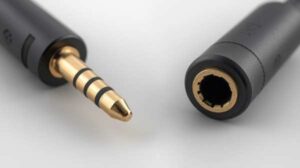
Tip, Ring and Sleeve (TRS), TRS stands for «Tip, Ring and Sleeve». It supports stereo sound. It means left and right audio channels. This type is commonly used for most everyday headphones.
TRRS Jack
Tip, Ring, Ring and Sleeve (TRRS), This supports Stereo sound + mic input. Most probably you are using TRRS in earphones if they have a built-in mic.
TRRRS Jack
TRRRS has one extra ring. But less common for the average user, it can support some more advanced audio features.
In this regard, TRS and TRRS are the most important types to most people. The plug type can be one of the reasons for which your microphone is not working.
Headphone Jack vs Aux Port
A headphone jack often looks the same as an aux port. Both of these typically utilize a 3.5mm plug. The distinction lies in how people use them.
Headphone socket is primarily for headband or ear. The aux port is great for sending audio between devices. So for instance I would connect my phone to a car stereo with an aux cable.
So yes they might look alike physically. But their purpose can differ.
Headphone Jack vs USB-C Audio
Most current phones have taken away the 3.5mm jack and switched to USB-C audio. This will work but introduces an additional layer: the adapter.
An optional USB-C audio adapter could include a DAC. DAC means digital-to-analog converter. It converts digital audio to analog signals that are capable of driving wired headphones.
Here is the simple difference:
| Feature | 3.5mm Jack | USB-C Audio |
| Ease of use | Very easy | Needs compatible adapter |
| Charging while listening | Usually easy | May need splitter |
| Sound quality | Good with proper hardware | Can be very good |
| Compatibility | Wide | Depends on device and adapter |
And while yes, I still want a real headphone jack for simple day to day use. While USB-C audio is acceptable, dodgy adapters can wreck the experience quicker than bad coffee on a Monday morning.
Headphone Jack vs Bluetooth
Bluetooth is convenient. Wired audio is stable. That is the honest comparison.
Bluetooth headphones are perfect for travel, exercise, and minimalist desk setups. Wired headphones are more ideal for low latency, long labour-use and uncomplicated ‘plug-and-play.
If you listen while gaming, editing in videos or recording audio, wired sound usually feels more precise. Bluetooth delay has become better, but it can still be obnoxiously adrift.
Also, for the gym or outdoors, you very well might prefer wireless. The headphone jack, however, still deserves its spot on a desk.
In this article you will also get an earbud vs headphones comparison in terms of comfort and daily usage.
Anyway, Here Is Where I Typically See Headphone Jacks
You are prompted where, to this day I still see the headphone jack in many of the devices that you follow :
- Laptops
- Desktop PCs
- Mini PCs
- Gaming monitors
- Speakers
- Audio interfaces
- Gaming controllers
- Budget smartphones
- Tablets
- Studio equipment
It is being phased out by some premium smartphones. This is why we have the standard integration adapters.
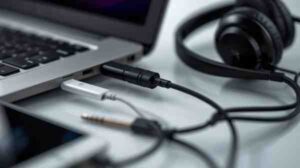
Most of your laptops and PCs the port may only be headphones or these ports will support both headphones and mic. Without line, some computers separate the ports of headphones from those of microphones. Others have a single combo jack.
Curious audiences who are who wants to more about headphone jack like its history and evolution should check this linked guide. they nicely covered them.
How to Know If Your Jack Supports a Microphone
Search for the headset symbol close to the port If it has a picture of headphones with a small mic, it’s likely that your headphone jack also supports microphone input.
You can also check your plug. For example: With three black rings it is commonly TRRS and may be able to support a microphone
For instance, when your PC has two ports that are green and pink (one is headphone and the other one is mic). In this case, you have to use a headphone splitter.
No, I always check this before blaming the headset. Poor little headset. Sometimes it did nothing wrong.
Common Headphone Jack Problems
But there are several reasons that a headphone jack can stop working or act strangely. Here are the most common problems I see.
No Sound
For example, it can be due to incorrect audio output settings, dust in the port, a damaged cable or a broken adapter.
Only One Side Works
That typically means a loose plug, fraying cable or grime inside the port.
Microphone Not Detected
For example, this might occur if a TRRS headset is inserted into a TRS-only port. It can as well happen if the microphone input of the system is muted.
Crackling Sound
Dirt, the movement of cables, cheap adapters and bad internal contacts – all this can appear as a crackling sound.
Loose Connection
If the headphone jack is causing sound to cut in and out. Cleaning will not be the solution if your port has physical damage.
Headphone jack problems Fix you!
I follow a simple order. This also saves time and avoids unnecessary panic.
Book an appointment with someone in the lab to grab a few. They probably have to look in the original device if it works there.
Then, I take a look at the audio output options. On Windows, the system may output sound to speaker, HDMI, Bluetooth instead of wired headphones.
Then, I inspected the port. Dust and lint will also accumulate, preventing the plug from seating properly. I utilize no abrasive cleaning tools. This is where I do not force a sharp piece of metal into my port.
Next, I do something similar with another pair of headphones. If neither works, then it might be the port or driver.
I update or reinstall the audio driver for computers. Driver issues may be boring, but they’re also quite real.
How to select the most suitable Adapter
Adapters can still be more important than most people realize. Low volume, noise, microphone failures or no sound at all can be due to the adapter (poor quality).
Here is what I check:
- Device compatibility
- DAC support for USB-C adapters
- Microphone support
- Cable strength
- Brand reliability
- User reviews
- Connector type
For phones with no headphone jack, I recommend a USB-C or Lightning DAC adapter. With computers, an external USB audio adapter is often better than the noisy built-in port.
When it comes to gaming headsets, I check whether or not I’m going to need a splitter. This is an important distinction as the majority of gaming headsets use a single TRRS plug but some desktops still have separate audio and mic ports.
Headphone jack for gaming: is it the better option?
For many gamers, yes. Wired connection generally has lower latency compared to Bluetooth. It helps with games where timing really matters.
A good wired headset can give you footsteps, reloading sounds, voice chat and directional audio that feels crystal clear. That leads to the other point: your headset quality. That cheap wired headset won’t suddenly be studio-grade just because it has a cable. Cables are helpful, not wizards.
A headphone jack also eliminates battery problems. Long gaming session? No charging break needed.
Should You Use Wired Audio for Work Calls?
It can be. Wired earphones normally offer stable audio and despite some drops in the connection. And it shows up in meetings, interviews, classes and client calls.
Bluetooth headsets take up less space on the desk, but they might lose connection, change devices and have a low battery. I have witnessed this at the most inopportune moments. Apparently, technology has a sense of humor.
In case of work calls, I use the headset with 1) a proper microphone which is clear, 2) has no issues like cable loss of sound stability and errors in TRRS usage.
Pros And Cons of a Headphone Jack
| Pros | Cons |
| Easy to use | Cable can tangle |
| No charging needed | Port can wear out |
| Low audio delay | Some phones removed it |
| Wide compatibility | Needs adapter for newer devices |
| Good for gaming and calls | Dirt can affect contact |
A headphone jack is not ideal but it remains practical. This is why tons of laptops, PCs and audio devices still have it.
HEADPHONES AND ADAPTER buy tips
When I buy wired headphones, I check the plug type. If I require a microphone then I will only opt for TRRS support.
I look out whether the adapter can support calls and the microphone input before purchasing it. Cheap adapters only provide audio output.
Another thing you need to consider is the very thin types of cables I do not use. They could be nicely organized but more often than not fail rapidly.
With headphones, I try to measure comfort, sound balance (frequency response), microphone clarity, and how well the whole thing is built. I don’t care how premium they look if it’s hurting my ears after 20 minutes.
FAQs About Headphone Jack
What Will You Do with a Headphone Jack?
Uses of Headphone Jack A headphone jack is used to connect wired headphones, earphones, microphones, speakers and audio cables connected to a device. It has audio output (and/or microphone input).
Is 3.5mm the same as a headphone jack?
Not exactly. 3.5mm is a size. Headphone jack (3.5mm, 2.5mm, or 6.35 mm) Although in everyday life, we usually refer to the 3.5mm port.
Why does no phone come with it anymore?
The absence of the port helps save interior space, improve resistance to water infiltration, and encourage consumers toward Bluetooth or USB-C audio. That said, many still prefer the reliability of a wired audio solution.
Then, can a headphone jack have a microphone?
Yes, if it has a TRRS input. TRS is typically only stereo audio (so a regular TRS jack) but TRRS can allow what you hear and what the mic picks up.
What to Do If the Headphone Jack Is Not Working?
It can be dirtied up, take damage, muted or be outputted to the wrong device. It can also be due to headphones, adapter or audio driver.
Are wired Audio Better than Bluetooth?
Wired audio has lower delay and does not require charging. Bluetooth is also more convenient and cable-free. What is the better option depends on how you use it.
Conclusion
Sure, the headphone jack is small but it still means something. Why I like it Simple, stable, useful for music/games/work calls/daily listening
Wireless audio is great. USB-C audio is also useful. So why not leave simply not touching it and letting it rightfully become the classic wired port: something of value. And in all honesty, sometimes that is just the best I can expect from tech.