

I’ve worked with businesses and systems for years, and I’ve noticed something interesting—most people think smart homes are complicated.
They’re not.
At its core, how home automation works is actually simple. Once you understand the structure, everything else starts to make sense. Lights, security, temperature—these are just outcomes. The real story happens behind the scenes.
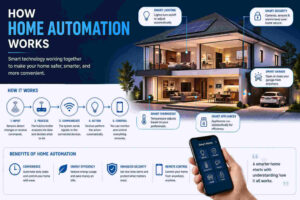
Here’s what I’ll break down for you:
- The basic idea behind automated homes
- The 3 core parts every system depends on
- How devices communicate with each other
- What actually happens when automation is triggered
- Real-life examples you can relate to
- Types of systems you should know
- Benefits and limitations (yes, there are some)
- How I recommend getting started
Let’s keep it clear and practical.
What Is Home Automation and Why It Matters
When I explain this to beginners, I keep it simple.
Home automation means using technology to control and automate things inside your house. Lights, locks, temperature, even appliances.
But the real value isn’t control.
It’s automation.
Instead of telling your home what to do every time, you set rules once. After that, things happen on their own.
For a deeper breakdown, I’ve already explained the basics in my guide on
https://eclectusplus.com/what is home automation system
That piece covers definitions. Here, I’ll focus more on how it actually works behind the scenes.
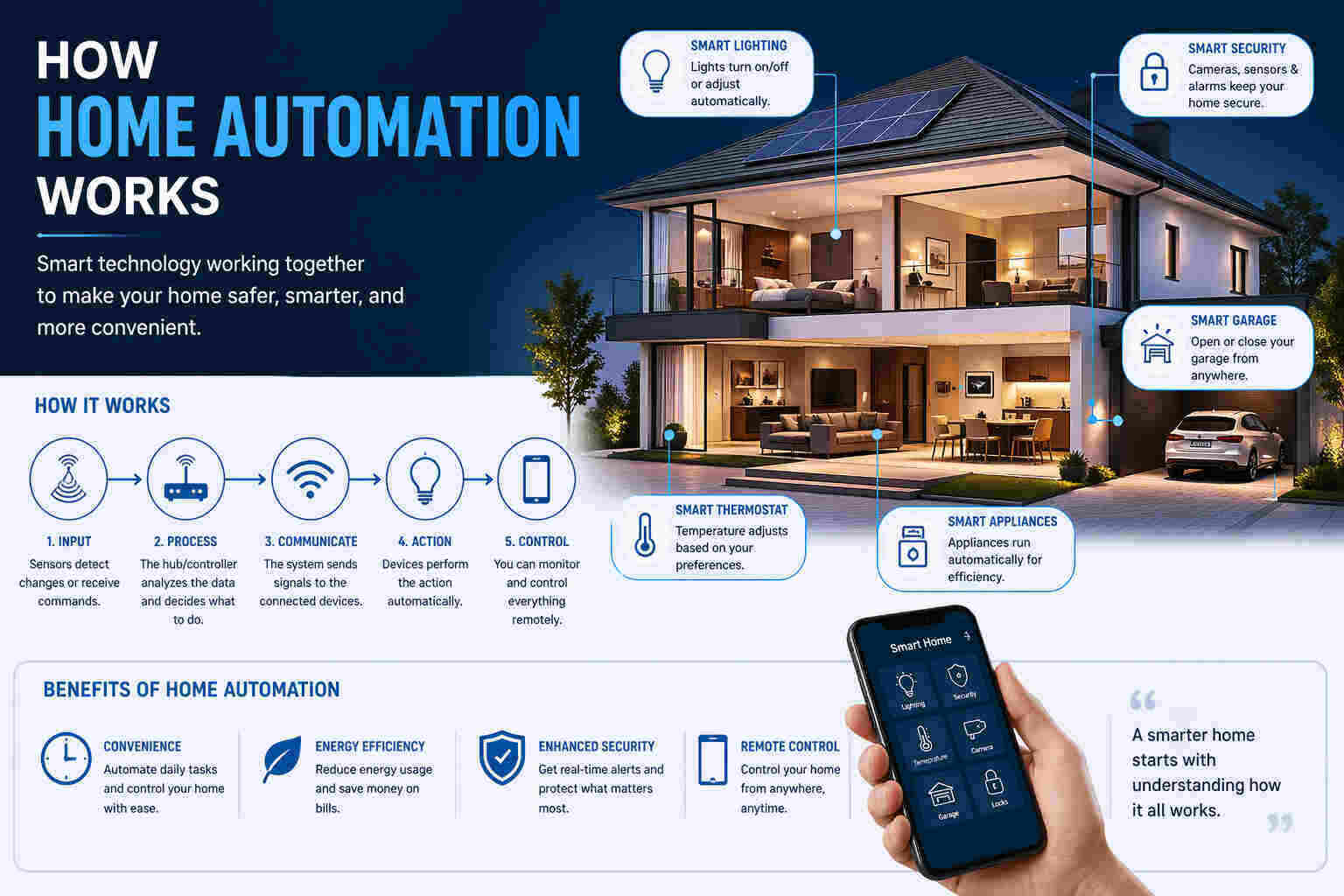
How Home Automation Works (Simple Breakdown)
I usually explain this using a basic model.
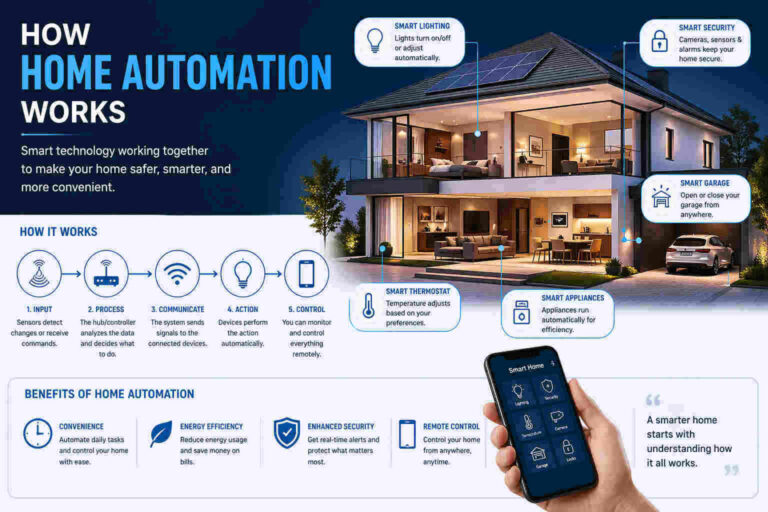
Every system has three parts:
- Input (something detects or triggers)
- Processing (something decides what to do)
- Output (something happens)
That’s it.
Let me walk you through each one.
1. Input Devices – Where Everything Starts
Nothing happens unless something triggers it.
This is where input devices come in.
These include:
- Motion sensors
- Door and window sensors
- Temperature sensors
- Voice commands
- Mobile app actions
For example:
You walk into a room → motion sensor detects movement.
That detection is the starting point.
No sensor, no automation.
Simple.
2. The Controller – The “Brain” of the System
Once something is detected, the system needs to decide what to do.
That’s the job of the controller.
This can be:
- A central hub
- A smartphone app
- A smart speaker
- A cloud-based system
I like to call this the “decision-maker.”
It takes the input and checks rules like:
- If motion is detected → turn on lights
- If temperature drops → increase heating
Think of it like this:
Your home isn’t smart.
The logic you set is.
3. Output Devices – Where Action Happens
Now we get to the visible part.
Output devices are what actually do something.
Examples:
- Smart lights
- Smart thermostats
- Smart locks
- Smart plugs
- Security alarms
So the flow looks like this:
Motion detected → system processes → lights turn on
That’s the full cycle.
No magic. Just logic.
The Role of IoT (Why Devices Can Talk to Each Other)
If you’ve heard the term IoT (Internet of Things), don’t overthink it.
It simply means devices are connected and can share data.
Your smart lock, light, and thermostat aren’t working alone. They’re part of a connected network.
That’s why you can:
- Control everything from your phone
- Set routines across multiple devices
- Monitor your home remotely
Without this connection, automation wouldn’t exist.
How Devices Communicate (Without Getting Too Technical)
Devices need a way to talk.
They use different communication methods like:
- Wi-Fi
- Bluetooth
- Zigbee
- Z-Wave
Here’s the simple version:
- Wi-Fi = strong but can get crowded
- Bluetooth = short range
- Zigbee/Z-Wave = built for smart homes
You don’t need to memorize this.
But you should know:
Not all devices work well together.
That’s where people make mistakes.
Automation Rules – Where Things Get Interesting
This is where I see the biggest difference between a “smart home” and a useful one.
Automation rules.
These are simple “if this, then that” instructions.
Examples:
- If it’s 7 PM → turn on lights
- If no one is home → lock doors
- If temperature rises → turn on AC
You set the rule once.
The system follows it every time.
No reminders needed. No extra effort.
Honestly, this is the part people enjoy the most.
Real-Life Example (How It Works Day to Day)
Let me make this practical.
Morning routine:
- Alarm goes off
- Lights turn on automatically
- Coffee machine starts
- Curtains open
Evening routine:
- You leave home
- Doors lock
- Security system activates
- Lights turn off
No extra steps.
Just predefined behavior.
That’s how home automation works in real life.
Levels of Automation (Not All Systems Are Equal)
I usually explain this in three levels:
1. Monitoring
You check device status.
Example:
- View camera feed
- Check temperature
2. Control
You manually control devices.
Example:
- Turn lights on from your phone
3. Automation
Everything runs based on rules.
Example:
- Lights turn on without you doing anything
Most beginners start at level 2.
The real value is in level 3.
Types of Home Automation Systems
Before you build anything, you should know your options.
Wired Systems
- More stable
- Installed during construction
- Higher cost
Wireless Systems
- Easy to install
- Flexible
- Most common today
Hybrid Systems
- Mix of both
If you’re starting out, I always suggest wireless.
Less stress. More flexibility.
Devices You Actually Need (Start Smart, Not Big)
I’ve seen people buy everything at once.
It rarely works well.
Start with essentials:
- Smart lights
- Smart plugs
- Smart speaker
- Basic security system
Then expand.
If you want a structured approach, I’ve outlined it here:
https://eclectusplus.com/how to automate your home easily
Benefits I’ve Seen in Real Use
Let’s keep this honest.
Here’s what actually improves:
1. Convenience
Less manual work.
2. Energy Savings
Devices run only when needed.
3. Security
Real-time alerts and control.
4. Remote Access
Control your home from anywhere.
Not life-changing overnight.
But over time, it adds up.
Challenges You Should Know
I don’t like pretending everything is perfect.
There are a few issues:
Cost
Initial setup can be expensive.
Compatibility
Not all devices work together.
Internet Dependency
Some systems rely heavily on internet.
Security Risks
Weak passwords = big problem
These are manageable.
But you should be aware.
Is It Worth It?
Short answer: yes, if done right.
Long answer:
It depends on:
- Your needs
- Your budget
- Your setup approach
If you go all-in without planning, you’ll regret it.
If you start small and scale, it works well.
If budget is a concern, I’ve covered practical options here:
https://eclectusplus.com/how to build a smart home on a budget
How I Recommend Getting Started
This is the exact approach I suggest:
- Pick one area (lighting or security)
- Choose a reliable ecosystem
- Start with 2–3 devices
- Set simple automation rules
- Expand gradually
No rush.
Smart homes aren’t built in a day.
A Slight Reality Check (With a Bit of Humor)
Some people expect their home to behave like a sci-fi movie.
It won’t.
Your lights won’t read your mind.
Your fridge won’t judge your midnight snacks. (Thankfully.)
But what it will do is save you time and effort.
And that’s enough.
Final Thoughts
Now you understand how home automation works without unnecessary complexity.
It’s a system built on:
- Inputs
- Decisions
- Actions
Everything else is just variation.
If you focus on the basics, you won’t get overwhelmed.
And if you build it step by step, you’ll actually enjoy the process.

One thought on “How Home Automation Works (A Practical Guide I Use With My Clients)”