Introduction
I used to think a larger desk automatically created a better gaming setup.
Then I spent several months working and gaming from a tiny desk in a compact room. My keyboard barely fit. My mouse kept hitting coffee mugs. Cable clutter looked like it had formed its own civilisation.
That experience changed how I think about gaming spaces.
I realised the right gaming gear for small desks can actually make compact setups feel cleaner, more comfortable, and easier to manage. A smaller desk forces smarter decisions. Oddly enough, that often creates a more efficient environment.
I also noticed many modern gamers now prefer smaller setups. Apartments are smaller. Remote work takes up desk space. Some people simply prefer minimal designs instead of giant RGB battle stations that look ready for a spaceship launch.
Good gaming gear for small desks is less about squeezing everything onto a surface and more about reducing distractions.
Here is what I will cover throughout this guide:
- Choosing the right desk size
- Compact keyboards and gaming mice
- Space-saving monitor ideas
- Wireless accessories and cable management
- Ergonomic positioning for smaller setups
- Budget-friendly upgrade ideas
- Common mistakes that waste desk space
- Minimal setup ideas that still feel premium
Why Small Desk Gaming Setups Need Different Gear
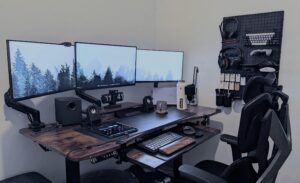
I learned quickly that traditional gaming accessories are not always ideal for tight spaces. Good gaming gear for small desks needs to focus more on efficiency, comfort, and organisation instead of pure size.
Large keyboards consume movement space. Oversized mouse pads can dominate the desk. Heavy monitor stands eat valuable room near the back edge. That is why many people now prefer small gaming desk accessories that fit naturally into compact layouts.
Small desks magnify every poor decision.
That sounds dramatic, but it is true.
A bulky headset stand suddenly becomes annoying. Thick cables feel messy faster. Even monitor placement becomes more important because your viewing distance is shorter. A proper gaming setup cable management system helps smaller setups feel cleaner almost immediately.
This is why compact accessories matter.
I focus more on efficiency than raw size now. A space efficient gaming setup usually works best when every accessory has a clear purpose. This becomes even more useful for people building a gaming gear for apartments setup where desk space is often limited.
I also noticed that cleaner layouts improve concentration. There is less visual clutter competing for attention. The desk feels calmer. A clutter free gaming setup can genuinely improve comfort during longer gaming sessions.
That may sound slightly ridiculous for gaming gear, but I genuinely play better when my desk does not resemble a storage warehouse.
I also think modern gamers are starting to prioritise flexibility more than before. Portable gaming accessories and desk friendly gaming gear make smaller rooms easier to organise without sacrificing performance.
Wireless accessories help too. Many players now prefer wireless gaming gear for small desks because fewer visible cables create a cleaner environment. Combined with a compact gaming monitor setup, smaller gaming spaces can still feel modern and comfortable.
Even RGB lighting works differently in compact rooms. A subtle compact RGB gaming setup often looks cleaner than oversized lighting arrangements that overwhelm the desk visually.
For me, a good small room gaming setup is less about adding more accessories and more about removing distractions.
Choosing the Right Desk Size
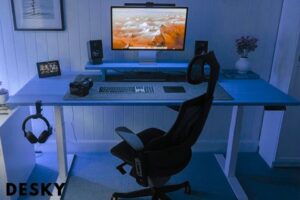
I think many people underestimate how much desk dimensions affect comfort.
A desk that is too narrow pushes the monitor uncomfortably close. A desk that is too short limits mouse movement. Tiny desks also encourage poor posture because accessories end up cramped together.
For most compact gaming setups, I find desks between 100 cm and 140 cm wide work well.
Depth matters too.
I prefer at least 60 cm depth for comfortable monitor positioning. Anything smaller can make the display feel extremely close during long sessions.
Corner desks are useful for some rooms because they maximise awkward spaces. Straight desks usually create cleaner layouts and easier cable management.
Wall-mounted desks are another smart option.
I have seen several minimalist setups use floating desks with hidden cable trays underneath. They save space while keeping the room visually open.
If you enjoy clean workspace aesthetics, some ideas from this guide on gaming desk accessories can also help improve organisation naturally:
https://spacetup.com/blogs/en/gaming-desk-accessories?srsltid=AfmBOor2sxPmlsEPtUv6-DbryUkBu6vtXJaSTY0uOnTnjYlNQOa7Z6X7
One mistake I see often is people buying oversized desks for tiny rooms.
The setup technically fits.
The human using it barely does.
Compact Keyboards Make a Huge Difference
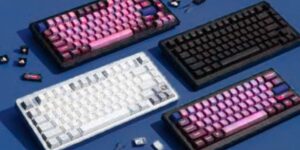
I think keyboards have one of the biggest impacts on smaller setups.
Full-size models consume surprising amounts of desk space. They also force the mouse farther to the side, which can become uncomfortable over time.
That is why I prefer tenkeyless or 60% layouts for compact environments.
They reduce clutter immediately.
A smaller keyboard creates more room for mouse movement, drinks, notebooks, or anything else competing for desk territory.
Wireless models help even more because they reduce visible cables.
I also like low-profile designs. They usually look cleaner and feel less visually heavy.
Mechanical switches are still worth considering in compact setups.
I personally prefer quieter linear switches because they feel smoother during late-night gaming sessions. Clicky switches sound satisfying for about ten minutes. After that, they can start sounding like aggressive popcorn.
Features I prioritise include:
- Wireless connectivity
- Compact layout
- Rechargeable battery
- Durable keycaps
- Adjustable typing angle
- Simple software
I avoid oversized wrist rests unless the desk has enough depth.
On smaller desks, oversized accessories often create more problems than benefits.
Choosing the Right Mouse for Limited Space
I used to think heavier gaming mice felt more premium.
Now I prefer lightweight models almost exclusively, especially when building a gaming gear for small desks setup.
Lighter designs feel easier to control on smaller surfaces, which is why they work so well in a small gaming desk accessories environment. They require less effort to move quickly and also reduce wrist fatigue during longer sessions, making them ideal for a small room gaming setup or gaming gear for apartments where space is limited.
Shape matters too.
A large mouse can feel awkward when desk space is limited, while compact ergonomic shapes are much better suited for a space efficient gaming setup. They also fit naturally into a desk friendly gaming gear approach where everything is optimized for minimal clutter and maximum comfort.
Wireless connectivity helps reduce clutter again here.
Modern wireless performance is excellent, which makes wireless gaming gear for small desks a practical choice today. Latency concerns are far less important than they were years ago, especially for most players building a clutter free gaming setup.
I still laugh slightly when people talk about wireless gaming mice like they are experimental alien technology.
Most modern options are extremely reliable and fit perfectly into a portable gaming accessories mindset, especially for users who want flexibility and clean setups.
I also think giant RGB-heavy mice look strange on minimalist desks. A cleaner design tends to match a compact RGB gaming setup, where visual style is controlled but not overwhelming.
For sensitivity settings, I prefer moderate DPI values instead of extremely high numbers. Stable tracking usually matters more than chasing marketing specifications, especially when your goal is a smooth and gaming setup cable management optimized workspace.
Monitor Placement Matters More Than People Expect
Monitor size becomes surprisingly important on smaller desks.
I generally think 24-inch or 27-inch displays work best for compact setups.
Larger screens can dominate the entire desk visually. They also reduce viewing comfort when sitting close.
Monitor arms are one of my favourite upgrades.
They instantly free desk space by lifting the display off the surface. That extra room helps smaller setups feel far less cramped.
I also like how monitor arms improve positioning flexibility.
A few small adjustments can improve neck comfort dramatically.
Single-monitor setups usually work better in compact rooms.
Dual displays can still work, but they require careful spacing. Otherwise, the setup begins feeling crowded very quickly.
Curved monitors are interesting.
I think they work well for immersive gaming, but aggressive curves can feel overwhelming on tiny desks. Moderate curvature usually feels more balanced.
Wireless Accessories Help Reduce Visual Clutter
I noticed something funny after switching to wireless accessories.
My desk suddenly looked cleaner even when nothing else changed.
Cables create visual noise.
A smaller setup amplifies that problem because there is less room to hide everything.
Wireless keyboards, mice, and headsets help simplify the environment.
Battery life has improved significantly too. Most modern accessories last long enough that charging becomes an occasional task instead of a daily ritual.
I still recommend keeping at least one cable nearby though.
Nothing destroys gaming confidence faster than watching a wireless mouse die during a competitive match.
Cable management also matters more in smaller rooms.
I use:
- Velcro cable ties
- Under-desk trays
- Compact USB hubs
- Cable sleeves
- Adhesive clips
These accessories are inexpensive, but they make setups feel dramatically cleaner.
Headsets and Audio Solutions for Small Desks
Large headsets can consume surprising amounts of desk space.
I prefer compact headset stands that attach underneath the desk or along the side edge.
This keeps the main surface clear.
Wireless headsets help again here because they remove another visible cable.
Comfort should remain a priority though.
I think some ultra-light gaming headsets sacrifice cushioning too aggressively. They feel great for twenty minutes and then slowly turn into punishment devices.
Closed-back designs work well in smaller rooms because they reduce sound leakage. Open-back models usually sound wider, but they can disturb nearby people more easily.
For microphone setups, I think compact boom arms work best.
Large streaming rigs look impressive online, but they can overwhelm smaller desks quickly.
Minimal accessories usually create cleaner setups and easier movement.
Ergonomics Still Matter in Compact Setups
I sometimes see people treat small desks like posture no longer matters.
Unfortunately, the human spine disagrees.
Ergonomics become even more important in tighter spaces because poor positioning is easier to create accidentally.
I try to keep my monitor near eye level. This reduces neck strain during longer sessions.
Keyboard positioning matters too.
If the keyboard sits too high or too close, wrist discomfort appears surprisingly quickly.
I also avoid pushing the chair too close to the desk edge.
That habit creates awkward shoulder positioning over time.
Lighting matters more than many people realise.
A small desk with poor lighting feels cramped faster. Soft ambient lighting helps smaller setups feel more open and comfortable.
This is one reason many minimalist gaming setups use subtle RGB lighting instead of extremely bright effects.
There is a fine line between immersive lighting and accidentally recreating a nightclub inside a bedroom.
Budget-Friendly Upgrade Ideas
I do not think compact gaming setups need expensive accessories.
In fact, smaller setups often cost less because fewer items are required.
I usually recommend prioritising upgrades in this order:
- Chair comfort
- Monitor positioning
- Mouse and keyboard
- Cable management
- Lighting and aesthetics
A monitor arm can improve comfort more than expensive decorative accessories.
A better chair can improve daily comfort more than adding another RGB light strip.
I also think budget wireless accessories have improved massively over the last few years.
Premium models still exist, of course.
Some of them cost enough to make my wallet briefly lose consciousness.
But affordable options now perform surprisingly well for casual and competitive gaming.
Used accessories can also offer excellent value.
I simply recommend checking battery health and switch condition carefully before purchasing.
Common Mistakes That Ruin Small Gaming Setups
I have made most of these mistakes personally.
That is probably why I recognise them so quickly now.
The first mistake is adding too many accessories.
A compact desk works best when unnecessary items disappear.
Another issue is oversized monitors.
Huge displays may look impressive in photos, but they can dominate tiny desks physically and visually.
Poor cable management is another common problem.
Visible cables make compact spaces feel cluttered almost immediately.
I also think people sometimes focus too heavily on aesthetics while ignoring comfort.
A setup may look fantastic online while being deeply uncomfortable during actual use.
That eventually becomes frustrating.
I try to prioritise practical improvements first.
Clean organisation. Comfortable posture. Smooth movement.
Those details matter more during daily gaming sessions.
Minimalist Gaming Setups Often Feel Better
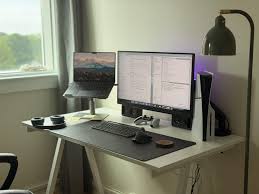
I have gradually become a fan of minimalist setups.
Not because they look trendy.
Mostly because they feel calmer.
Smaller desks benefit from simplicity.
A compact keyboard, clean monitor placement, subtle lighting, and hidden cable management often create a more enjoyable environment than oversized decorative setups.
I also think minimal layouts age better visually.
Extremely aggressive gaming aesthetics sometimes feel outdated quickly. Cleaner setups usually remain appealing for longer.
Neutral colours help too.
Black, white, grey, and soft lighting often make compact rooms feel larger.
Vertical storage solutions can also improve organisation significantly.
Wall shelves, headphone hooks, and monitor risers reduce surface clutter without sacrificing functionality.
One of my favourite setup improvements was adding a simple under-desk storage tray.
It hid cables, adapters, and random accessories instantly.
The desk finally stopped looking like it was collecting evidence for a technology crime investigation.
Final Thoughts
I think gaming gear for small desks is often underestimated.
People assume larger desks automatically create better experiences, but I no longer believe that. A well-organised small gaming desk accessories setup can feel cleaner, more efficient, and more comfortable than oversized layouts filled with unnecessary items.
I focus more on practicality now, especially when building a space efficient gaming setup.
Comfort matters.
Movement space matters.
Cable management matters.
Good positioning matters.
Those details improve gaming far more than simply adding more hardware.
In fact, a gaming gear for apartments mindset changes everything. When space is limited, every item must earn its place. That naturally leads to smarter choices like desk friendly gaming gear and lightweight setups that don’t overcrowd the desk.
I also believe compact setups encourage better decision-making. A small room gaming setup forces you to think about layout, comfort, and usability instead of just aesthetics.
That’s why I often prefer a portable gaming accessories approach. It keeps things flexible while still maintaining performance and comfort.
For aesthetics, a compact RGB gaming setup can still look clean, but it should never overwhelm the workspace. Lighting should support the setup, not dominate it.
Wireless solutions also help a lot. Using wireless gaming gear for small desks reduces clutter and improves movement freedom without sacrificing responsiveness.
Clean design matters too. A clutter free gaming setup always feels more focused and less distracting during gameplay.
And above all, strong gaming setup cable management ties everything together. Good cable routing often improves the setup more than upgrading hardware.
For me, the best setup is not the one with the largest desk or the most aggressive RGB lighting.
It is the setup that disappears while I am gaming.
Smooth movement.
Comfortable posture.
Reliable performance.
Minimal distractions.
That combination usually creates a better experience than raw size ever could.